Join the ProjectXL Alpha: help build the world's best project control system
We are starting with the schedule model engine: critical path, float, status and baselines. If you use Microsoft Project, P6 or Open Plan, we want your help.
Start your 7-day free trial
What ProjectXL is. ProjectXL is an Excel add-in. It is an integrated project control system, with its own scheduling, cost and earned value calculations, that uses Excel as a primary user interface. Your project data is in Excel tables that you edit and analyze with the Excel tools you already use. ProjectXL adds journey guidance, which shows where your project stands and what to do next, and live data checks that flag problems as you work. Together they help you keep your data correct and follow the same process every reporting period.
How the ProjectXL schedule model is different
-
Deliveries and other events in the schedule logic. A material delivery, a trip, or an event from another system can be part of the schedule logic. Its date drives the work that depends on it. You do not need a placeholder activity or a date constraint.
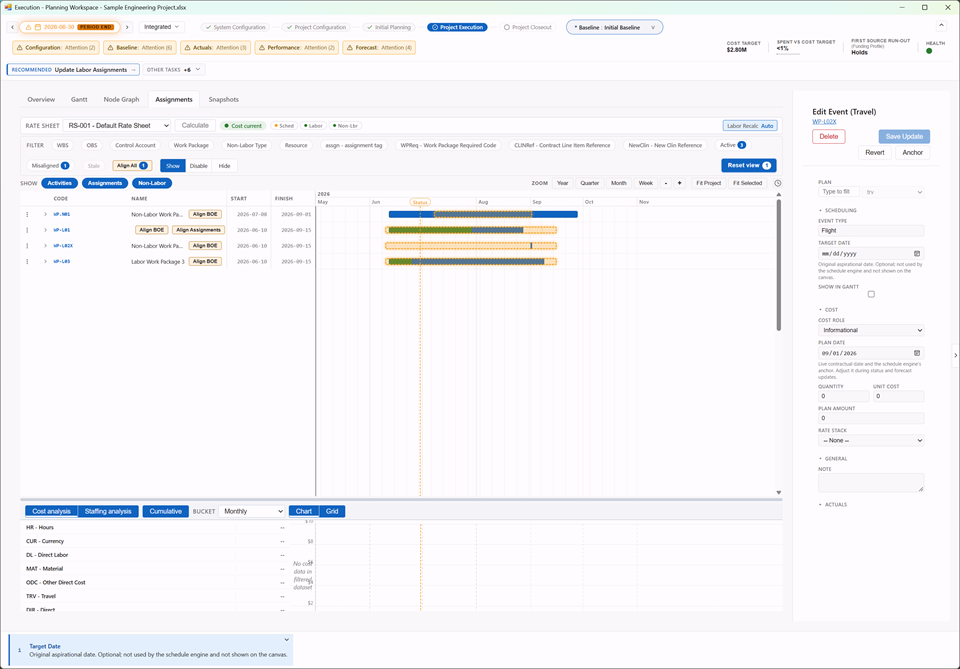
The trip is costed where the work is. 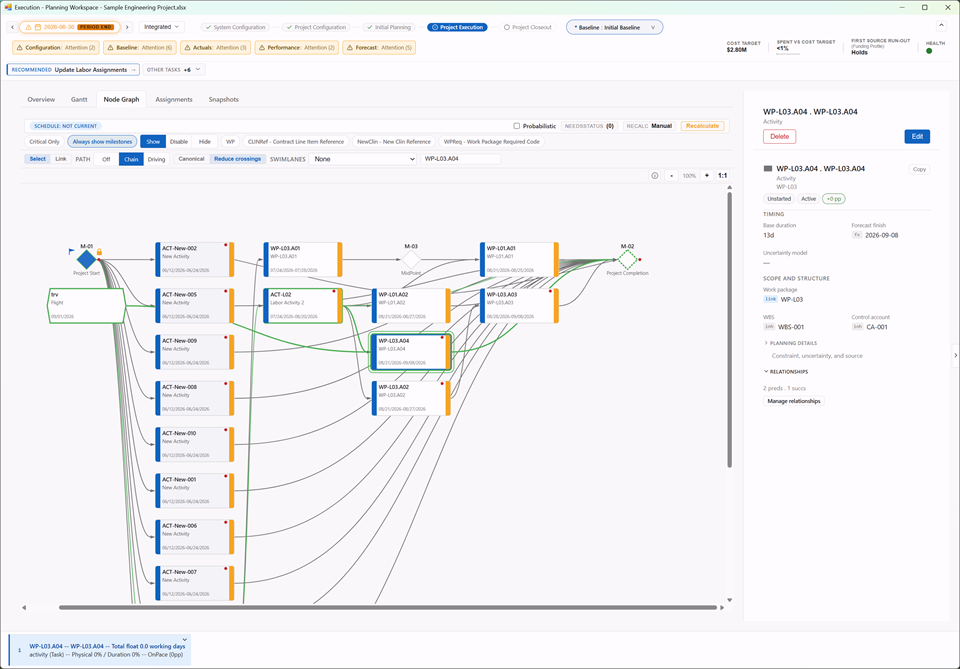
The work now waits on the trip, not on a fake task. 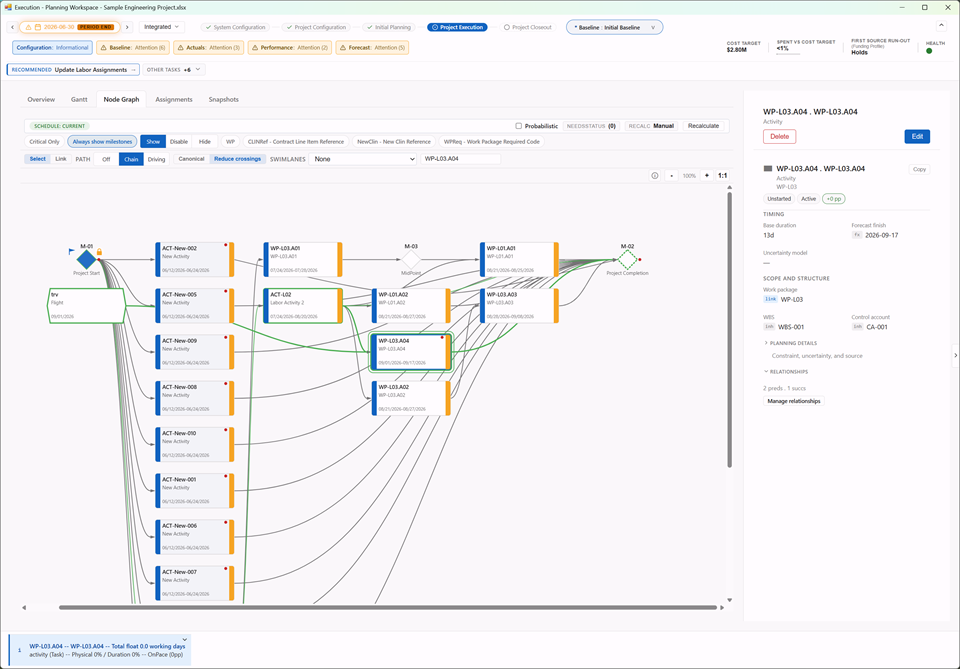
The event's date drives the schedule; it never becomes a task. 1 of 3 -
Edge-based logic. In other scheduling tools, each link has a type: finish-to-start, start-to-start, finish-to-finish or start-to-finish. In ProjectXL, a link connects two edges: the start or finish of one activity to the start or finish of another. All four relationships work the same way, and you choose the edges for every link. ProjectXL never assumes finish-to-start. Constraint dates are in the same link table as your logic, so every date comes from links and constraints you can see.
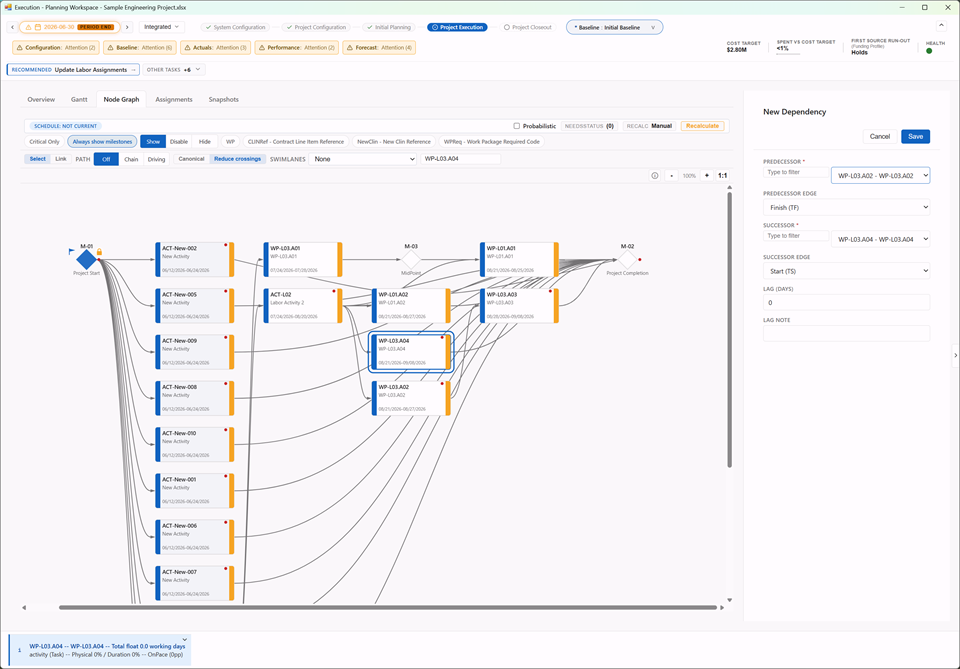
Change the logic where you can see it. -
Status history without baseline fields. Each reporting period's status is saved as a named snapshot of the whole project, not as a numbered set of baseline fields or a dated copy of the file. Compare any two periods to see what changed in each Work Package.
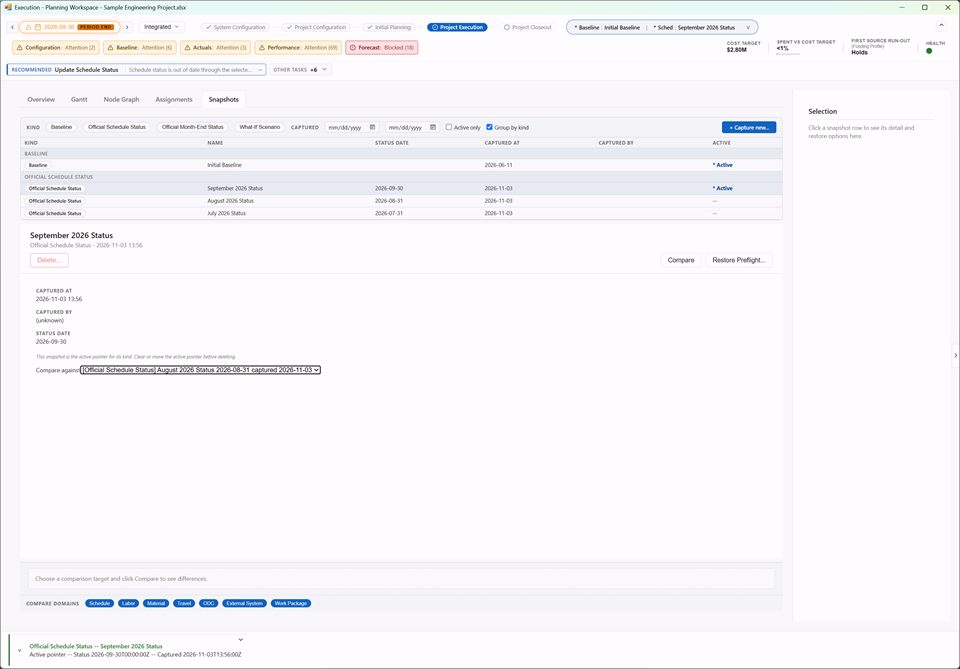
Compare any two months you reported.
What works in the Alpha today
Critical path and CPM scheduling
- Critical path and float. ProjectXL calculates early and late dates, total float, negative float and the critical path. The calculation runs on your computer.
Status updates and baselines
- Status updates. Move the status date to the period end. Record the actual start, percent complete and remaining duration of each activity.
- Baselines. Save named baselines, with no fixed set of baseline fields. Set one as the active baseline. Status updates do not change it.
Cost and earned value
Use the schedule only, or add cost to the same Work Packages.
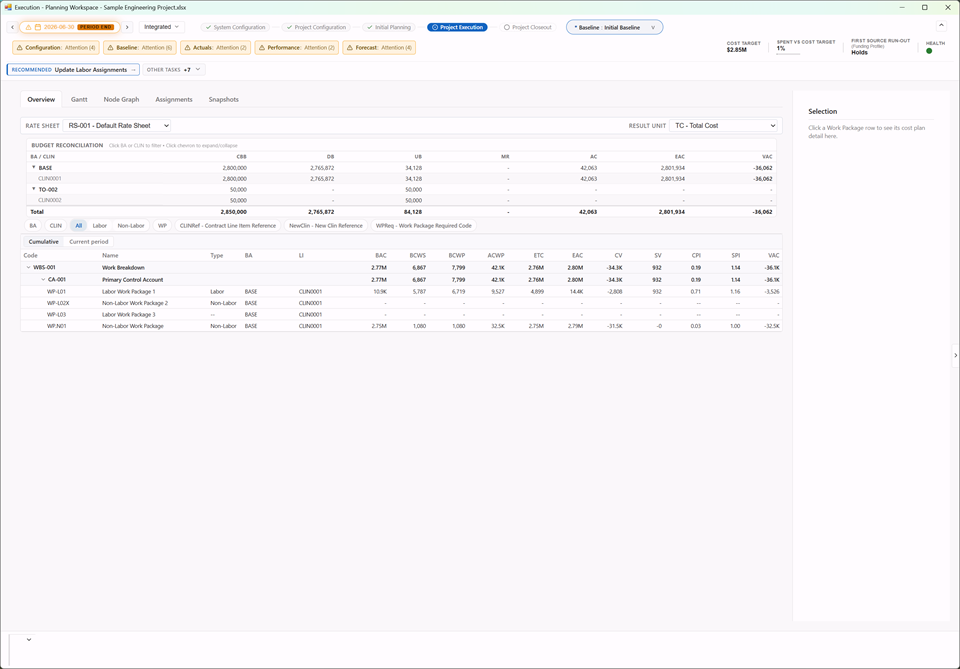
- Project structure. Organize the work with a WBS, OBS, Control Accounts and Work Packages.
- Actual costs. Paste actual costs from your accounting export into a staging table. ProjectXL checks each row first.
- Earned value. CPI, SPI, EAC and other measures against the active baseline, with totals for each Control Account and WBS element.
What's coming next
We plan to add these before the Public Release. Alpha customers help us decide the order.
- Schedule risk analysis. Model the uncertainty in activity durations, and see how confident you can be in the finish date.
- Power BI export. Export your project to Power BI, with a ready-made semantic model and report for schedule health, schedule performance and trends.
- Program and portfolio management. Manage several projects together as a program or a portfolio.
The Alpha offer
The Alpha is for early adopters: schedulers who want a working CPM scheduling system now, at a low price, and who want to help shape ProjectXL.
What you get: every feature on this page except those under "What's coming next"; a license you can use until one year after the first Public Release; and a place in the Alpha product development forum.
What to expect: the Alpha does not have every planned feature yet (see "What's coming next"). Some parts of the user interface still need work. We are fixing them.
The price
| Release | Price |
|---|---|
| Alpha (now) | $50 |
| Beta | $100 |
| Public Release | $200, or $20 per month |
Try the Alpha free for seven days before you buy.
Questions from schedulers
- Can I import my Microsoft Project schedule?
- Yes. ProjectXL imports
.mppfiles. You review the data, remove what you do not need, and map it to your project structure. ProjectXL changes nothing until you load the data. - What do I need?
- Windows 10 (version 2004 or later) or Windows 11, Microsoft 365 desktop Excel, and an internet connection to activate the license.
- Does my schedule data leave my computer?
- The schedule calculation runs on your computer. ProjectXL uses the internet to check the license. If you turn on the AI assistant, it sends project data to the AI provider you choose, with your own key.
- Are there limits I should know about?
-
- P6 and Open Plan files: not in the current release. You can import activity lists and other plan data into ProjectXL's Excel tables, and ProjectXL checks each row.
- ProjectXL calculates total float, not free float. Late dates and total float need a schedule with a single finish.
Start using ProjectXL now, and help us build the scheduling system you want.
Start your 7-day free trial